API & Integrations
MQTT
Publishes all available information under topic: yarrboard/brineomatic/*
- brineomatic - Always
true; identifies this as a Brineomatic device - status - Current operational status of the watermaker
- run_result - Result of the last run operation
- flush_result - Result of the last flush operation
- pickle_result - Result of the last pickle (preservation) operation
- depickle_result - Result of the last depickle operation
- motor_temperature - Motor temperature in °C
- water_temperature - Inlet water temperature in °C
- product_flowrate - Flow rate of the product (fresh) water output in LPH
- brine_flowrate - Flow rate of the brine (reject) water output in LPH
- total_flowrate - Combined total flow rate in LPH
- volume - Volume of product water produced in the current run in liters
- flush_volume - Volume of water used during flushing in liters
- product_salinity - Salinity of the product (fresh) water in PPM
- brine_salinity - Salinity of the brine (reject) water in PPM
- filter_pressure - Pressure at the pre-filter in bar
- membrane_pressure - Pressure at the RO membrane in bar
- tank_level - Fresh water tank fill level (0.0–1.0)
- battery_level - Battery charge level (0.0–1.0)
- boost_pump_on - Whether the boost pump is currently running (only present if device has a boost pump)
- high_pressure_pump_on - Whether the high pressure pump is currently running (only present if device has a high pressure pump)
- diverter_valve_open - Whether the diverter valve is open (only present if device has a diverter valve)
- flush_valve_open - Whether the flush valve is open (only present if device has a flush valve)
- cooling_fan_on - Whether the cooling fan is running (only present if device has a cooling fan)
- next_flush_countdown - Seconds until the next scheduled automatic flush
- runtime_elapsed - Seconds elapsed in the current run
- finish_countdown - Seconds remaining until the current run finishes
- flush_elapsed - Seconds elapsed in the current flush (only present when status is
FLUSHING) - flush_countdown - Seconds remaining in the current flush (only present when status is
FLUSHING) - pickle_elapsed - Seconds elapsed in the current pickle operation (only present when status is
PICKLING) - pickle_countdown - Seconds remaining in the current pickle operation (only present when status is
PICKLING) - depickle_elapsed - Seconds elapsed in the current depickle operation (only present when status is
DEPICKLING) - depickle_countdown - Seconds remaining in the current depickle operation (only present when status is
DEPICKLING) - pickled_on - Unix timestamp of when the device was last pickled (only present when status is
PICKLED)
All sensor data is in metric units (celcius, liters, lph, etc.)
Home Assistant
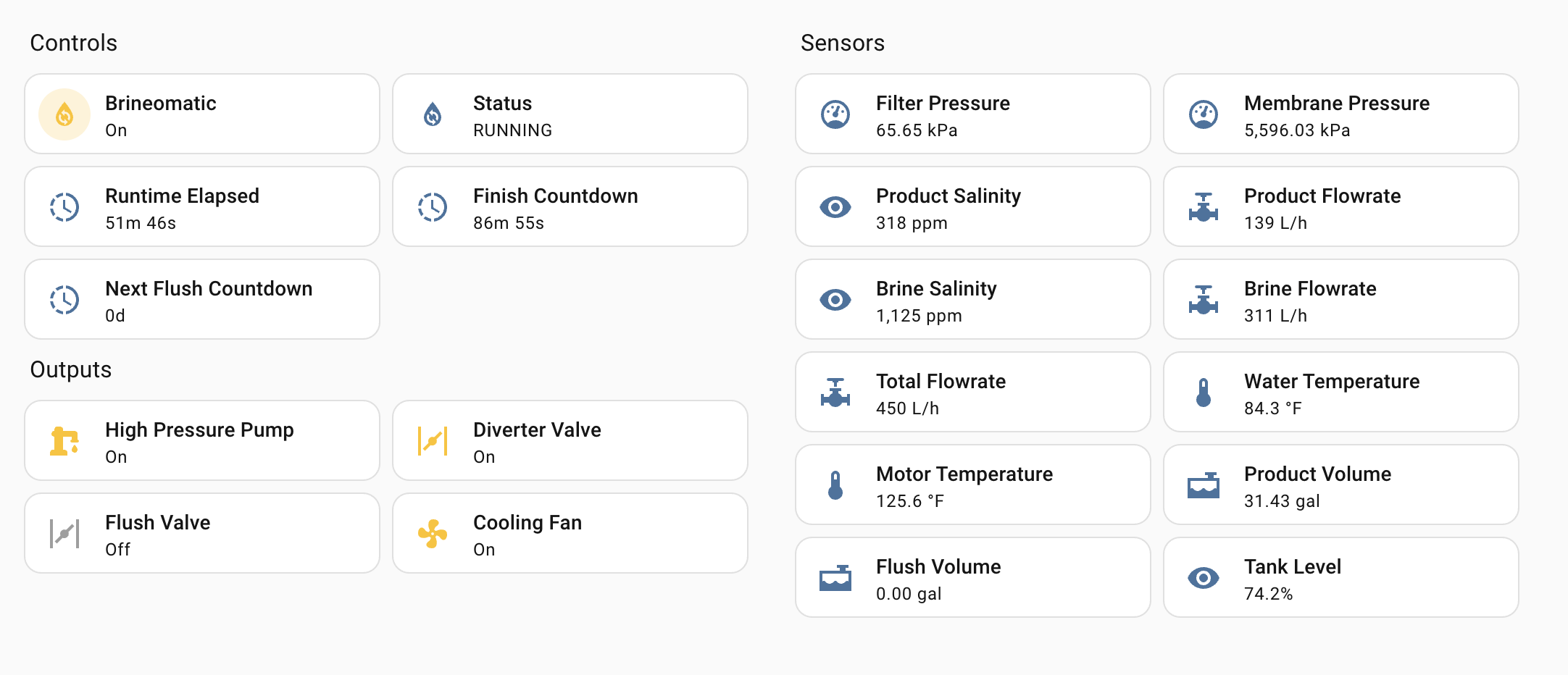
To use Brineomatic with Home Assistant, follow these steps:
- Install the Mosquitto Broker (MQTT server) app in Home Assistant.
- Enable MQTT discovery in Home Assistant
- In Brineomatic, enable MQTT and the Home Assistant features
- In Home Assistant, it should show the discovered watermaker
Download the Home Assistant dashboard YAML here
Raw API
The protocol for communicating with Brineomatic is entirely based on JSON messages. Each request to the server should be a single JSON object, and the server will respond with a JSON object.
The protocol works over the following transport layers:
- HTTP API
- Websockets
- USB Serial
- MQTT
Here are some example commands you could send:
{"cmd": "start_watermaker"}
{"cmd": "stop_watermaker"}
{"cmd": "flush_watermaker"}
{"cmd": "set_watermaker", "motor_temperature": 40}
{"cmd": "set_watermaker", "water_temperature": 23}
{"cmd": "set_watermaker", "tank_level": 0.75}
{"cmd": "set_watermaker", "battery_level": 0.50}
For detailed information on the Brineomatic specific protocol, see src/controllers/BrineomaticController.cpp
Visit the YarrboardFramework documentation page for more details on the underlying protocol.
SignalK
All the same data as MQTT, but in SignalK delta format with the watermaker/brineomatic/* path.
Node-RED
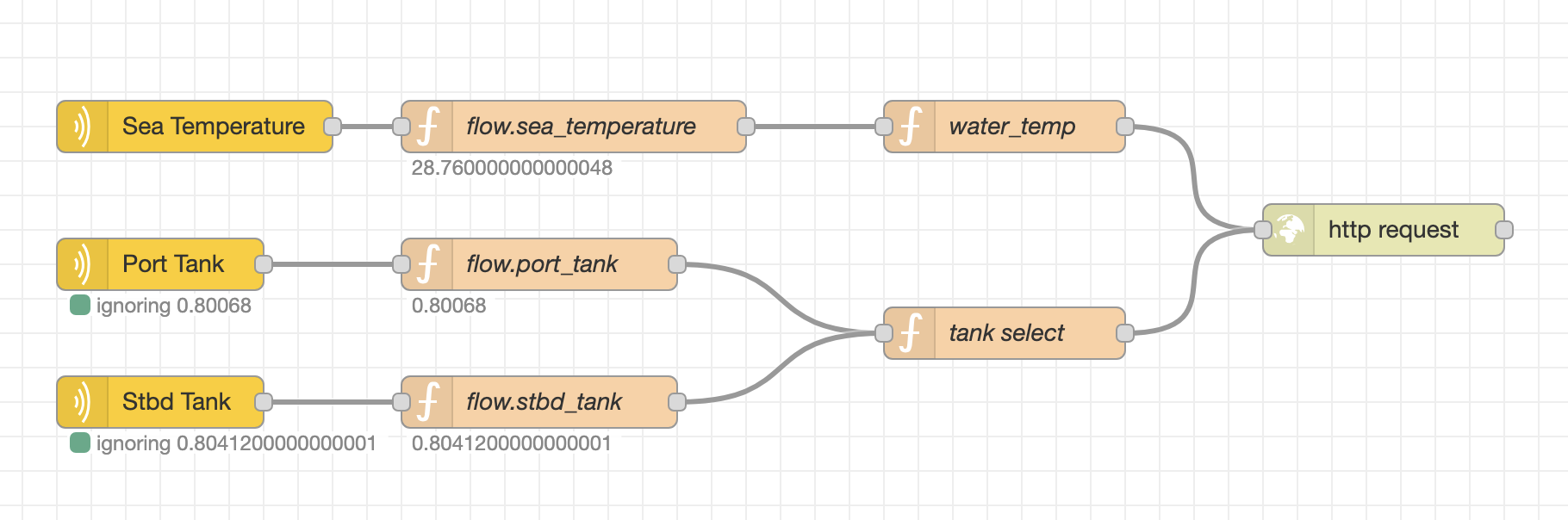
One way to get battery level, tank level, and water temperature information into your watermaker is to use SignalK + Node RED using the HTTP API. You can also use MQTT and have Brineomatic subscribe to a topic with that data.
Download the Node-RED flow here.